Setting up Android as the ultimate portable PC
Over the past few years I've steered away from laptops and started exploring alternative forms of portable computers. Quite often all I need is a web browser, a terminal, and a keyboard. Paired with XR glasses and a bluetooth keyboard, I can do anything that I would need to do on the go with a computer.
Other than my home PC, I use my SteamDeck as a portable x86 computer running Arch Linux. The deck is an amazing device, but it is nowhere near as portable as my Pixel phone or my Galaxy Tab. In this blog, I'm sharing my latest setup on my Android devices and discuss how I use them for productivity and development tasks.
My setup consists of the following devices:
- XReal one XR glasses for large on the go display. Perfect for confined spaces such as public transport, airplanes, or sitting on the couch.
- My current keyboard is a Reviung34.
- I use a Galaxy Tab s8 running Android 16, Chromium desktop arm build, and Termux as the terminal emulator.
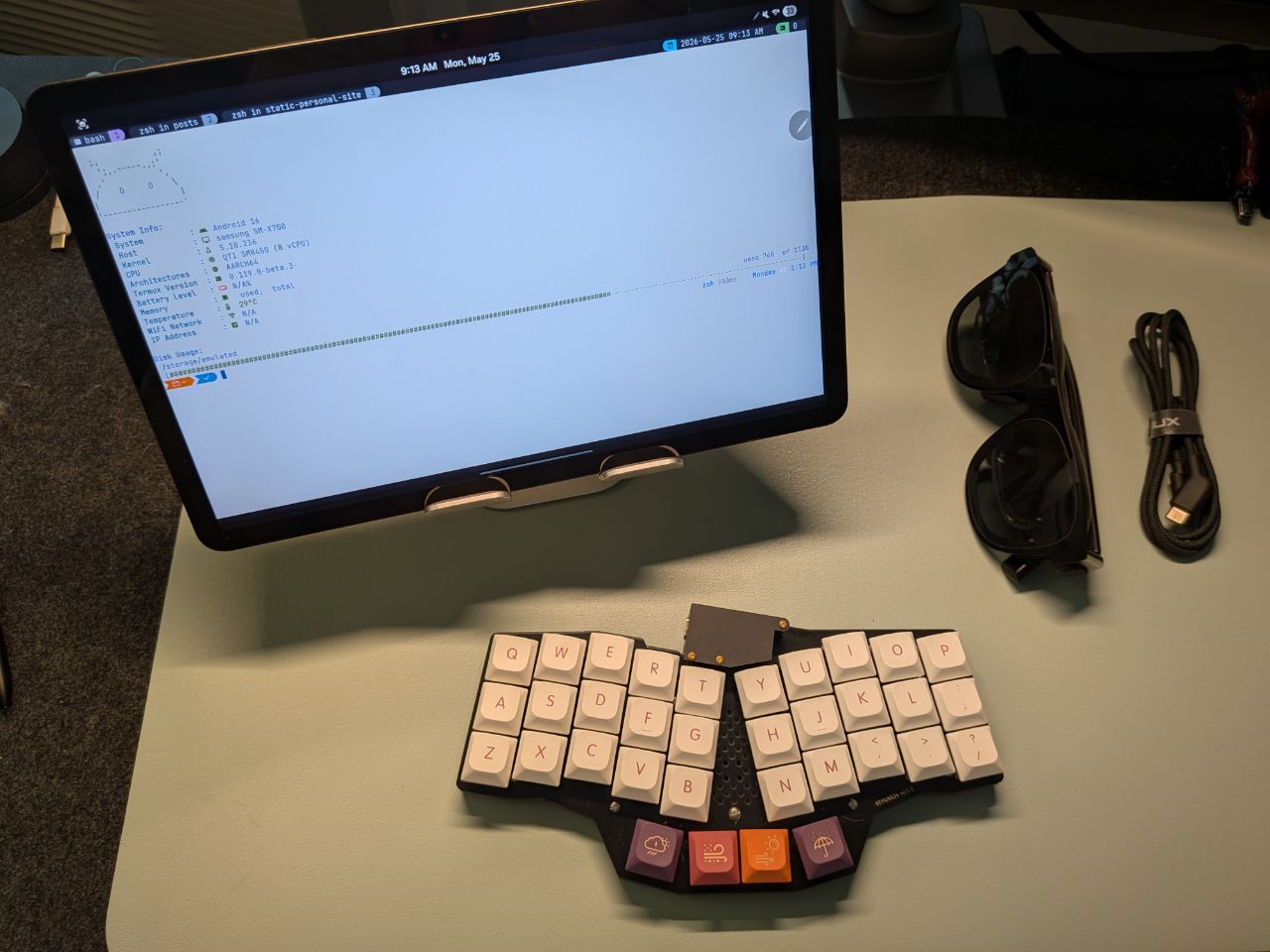
My portable computer setup with Galaxy Tab, Reviung34, and XReal One
My main use cases are:
- Reviewing papers, writing paper reviews.
- Writing blogs, code (Rust, Typescript, Cloudflare workers), or configuration (tmux and zsh).
- Reading books and following along with code examples and implementations.
- Finishing up a commit or touching up the code in existing repositories.
- Running claude code to help with the above items.
Requirements for this setup
My goal is to mimic my PC setup as close as possible. This includes using similar shortcuts, ideally a tiling window manager, same terminal apps and configurations.
A terminal environment similar to a desktop computer
The terminal configuration is mostly solved via Termux. While this amazing piece of software is not Ghostty or Kitty, it provides enough feature parity with a full fledged terminal to run most of the applications that I need.
My workflow mainly revolves around tmux, nvim, git, rust, and cargo. I even compile Latex on my Termux, even though I am trying to offload builds to the Cloud. For instance I use latex-action@v4 to compile my resume into PDF from Latex.
Tiling window manager for Android
I wish tiling window managers and keyboard-first operations had better support on Android. But as of Android 16 there is no easy way to implement a custom window manager. The closest approach is DroidOS launcher but unfortunately it was broken on my tablet.
But I have a solution for this. I use tiling window managers (i3, sway) for two main reasons. First I assign applications to certain workspaces. For instance, my chat is always on G, Spotify is on S, terminal is on T, browser on B. And then I use numeric workspaces for everything else.
We cannot have the same concept of workspaces in Android, but we can still open applications with keyboard shortcuts. So as long as prefix+B opens Chromium and prefix+T opens Termux, I am happy.
My second use case from tiling window managers is to split the screen into multiple windows. Most recent Android devices support split screen. On Samsung devices, you can use a keyboard prefix to split the screen. Using this feature I can open my browser and my terminal side by side. I can also Switch between them and make them fullscreen all with keyboard shortcuts.
KeyMapper
The app that makes it possible is called KeyMapper. It allows you to bind keyboard shortcuts to a diverse list of different actions:
My first set of bindings open my commonly used applications such as Chrome and Termux. On desktop, I assign my applications to specific desktops and navigate to them via shortcuts. Android does not support the same concept of workspaces, but by assigning the same prefix to the applications directly, I am simulating the same workflow.
- alt+B = Browser (Chrome)
- alt+T = Terminual (Termux)
- alt+G = Chat (Telegam)
- alt+Y = Youtube
- ctrl+space = launcher (Launchpad), simulating Spotlight or Rofi
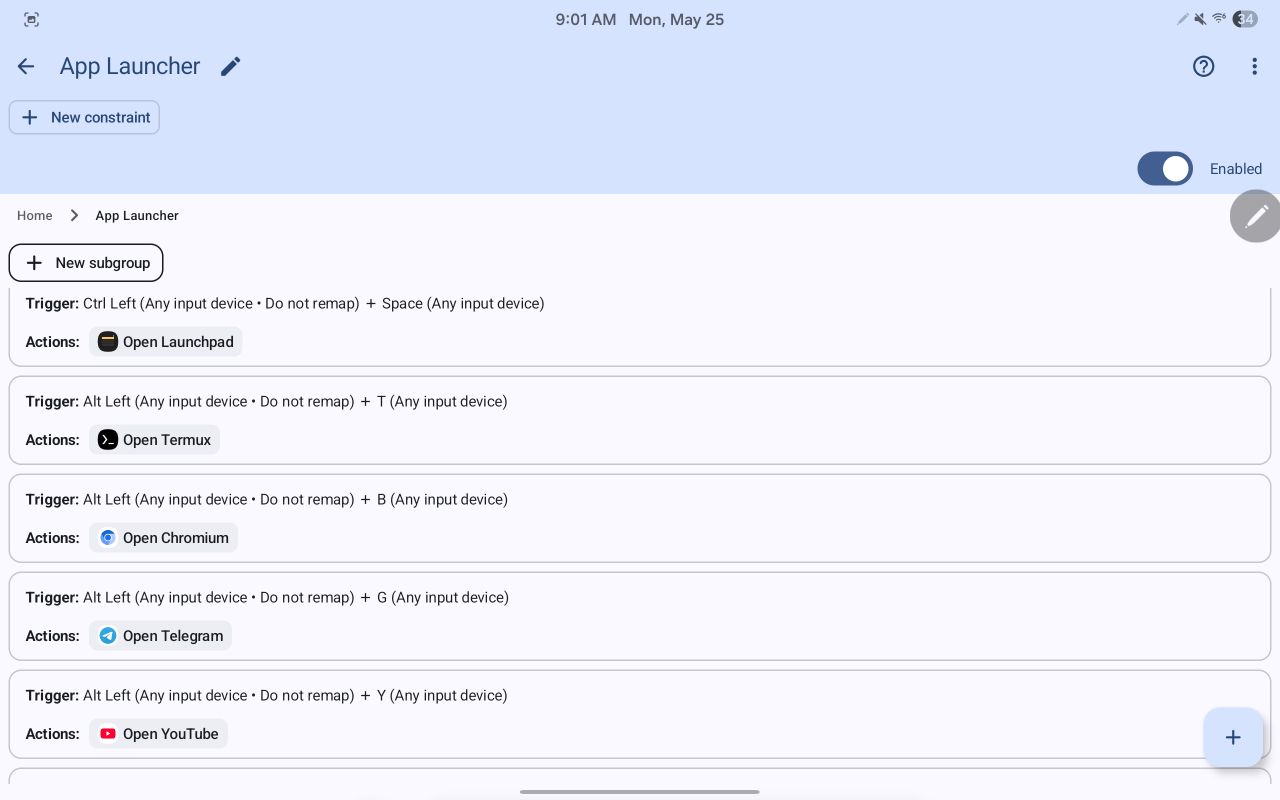
Shortcuts for commonly used applications
I also remapped Samsung's default keyboard shortcuts to split the screen in half and run two applications side by side:
- Alt+Shift+L/H: Split window, simulating Cmd+Meta+Left/Right
- Alt+Shift+F: Fullscreen current app
- Alt+Shift+Q: Quit current app
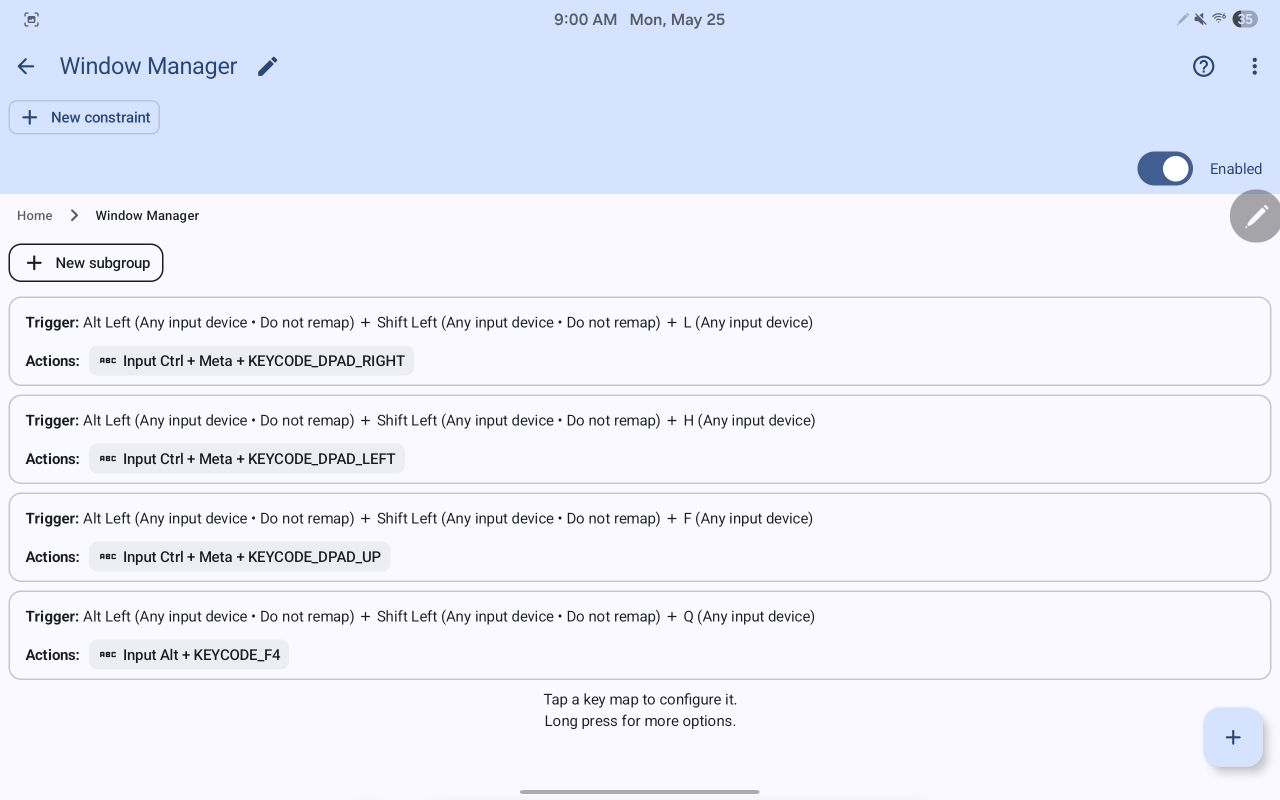
Keymapper window management shortcuts
A portable screen
The last piece of the puzzle are the XReal One glasses. I use the SecondScreen Android application to create a second screen with custom dimensions and dpi settings that works best with the glasses. SecondScreen can turn off my tablet's screen when the glasses are plugged in.
SecondScreen
This app automatically detects when XR glasses are plugged in and sets the screen resolution and DPI to the desired values. It also turns of the tablets screen (requires Shizuku) which is very convenient. SecondScreen Application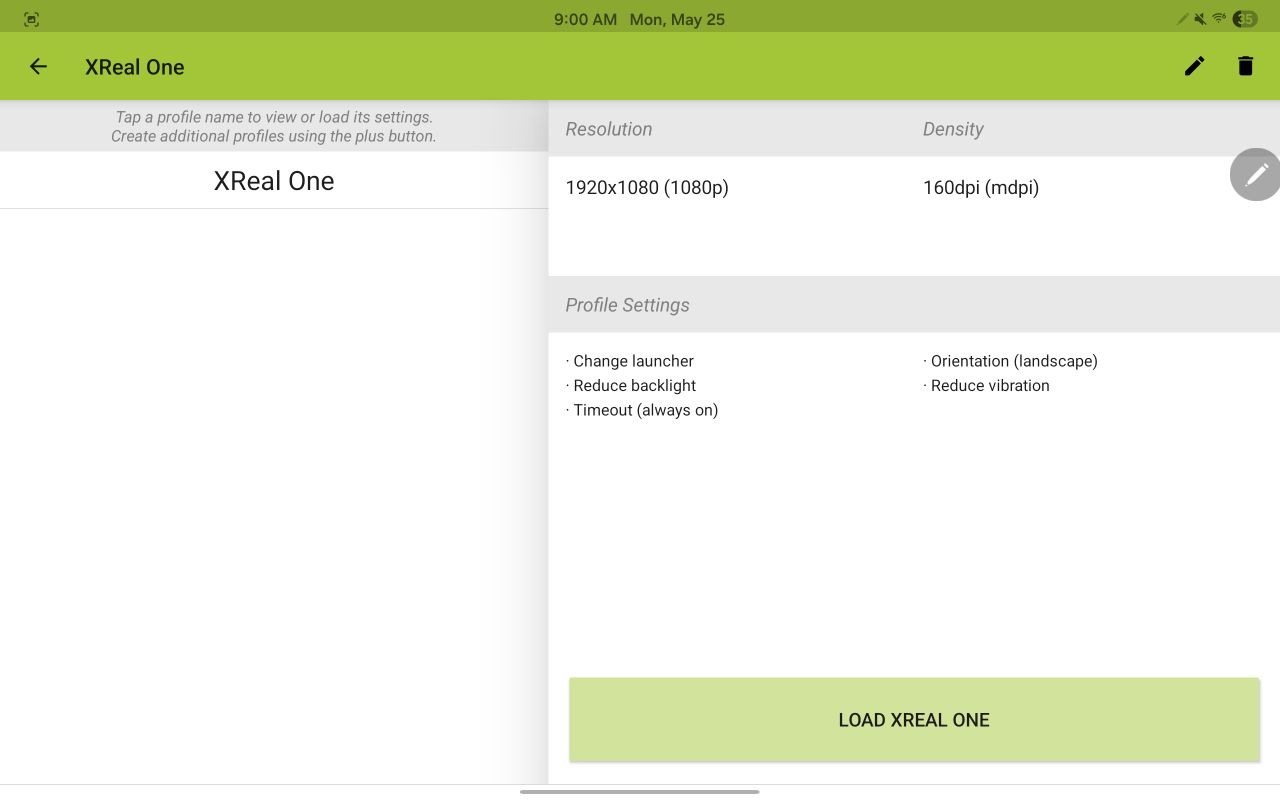
A bluetooth keyboard
My current keyboard is a ZMK-based wireless Reviung34 that allows me to easily switch between my devices. Really any bluetooth keyboard would work.
Putting everything together, I have a portable setup that is capable of SSHing into my servers, and also allows for some amount of local development using a familiar nvim setup. The tablet has a very good battery life and can be used for web browsing and note taking.
Is this ultimate portability?
I have looked at many options from small laptops, Raspberry Pi with a battery pack, custom cyber decks, and a headless Steamdeck. For generic use cases I think Android is pretty good. I rely on Github Actions to build most of my repositories on push. Moreover, you can always SSH into a dev machine and have access to all your tools and better hardware while carrying a low profile device.
Let's also talk about XR glasses. I have always been intrigued by Meta Quest AR and Apple Vision Pro. But frankly no one uses them outdoors or in public and I cannot imagine wearing them comfortably for hours.
XR glasses solve that issue. They plug into devices via USB-C and act as external displays without requiring external power from battery packs. The resolution is still capped at 1080p and the FOV is limited to 50 degrees. So it feels like you are peeking through a small window at your screen. You may also need to increase the font-size to read text on the screen comfortably.
All in all I would say they are amazing for confined spaces where having a monitor is not a possibility. Staring down at the laptop screen while it's on my lap always gave me headaches and neck pain on long flights. Now with XReal One glasses I have the most low profile 1080p screen in my bag. I'm very excited for future generation of XR glasses with a wider FOV and better resolution.
Can Android devices fully replace laptops in future?
I have tried chroot and proot distros but they struggle with GPU-based tasks and browsers cannot even play a 1080p Youtube video without dropping frames. That said, I'm very excited for the future of Android and its support for VMs with GPU acceleration (Read more on AndroidAuthority). Perhaps soon we can run an actual desktop environment on our phones and tablets.